How it works
One item. One decision. One learning moment.
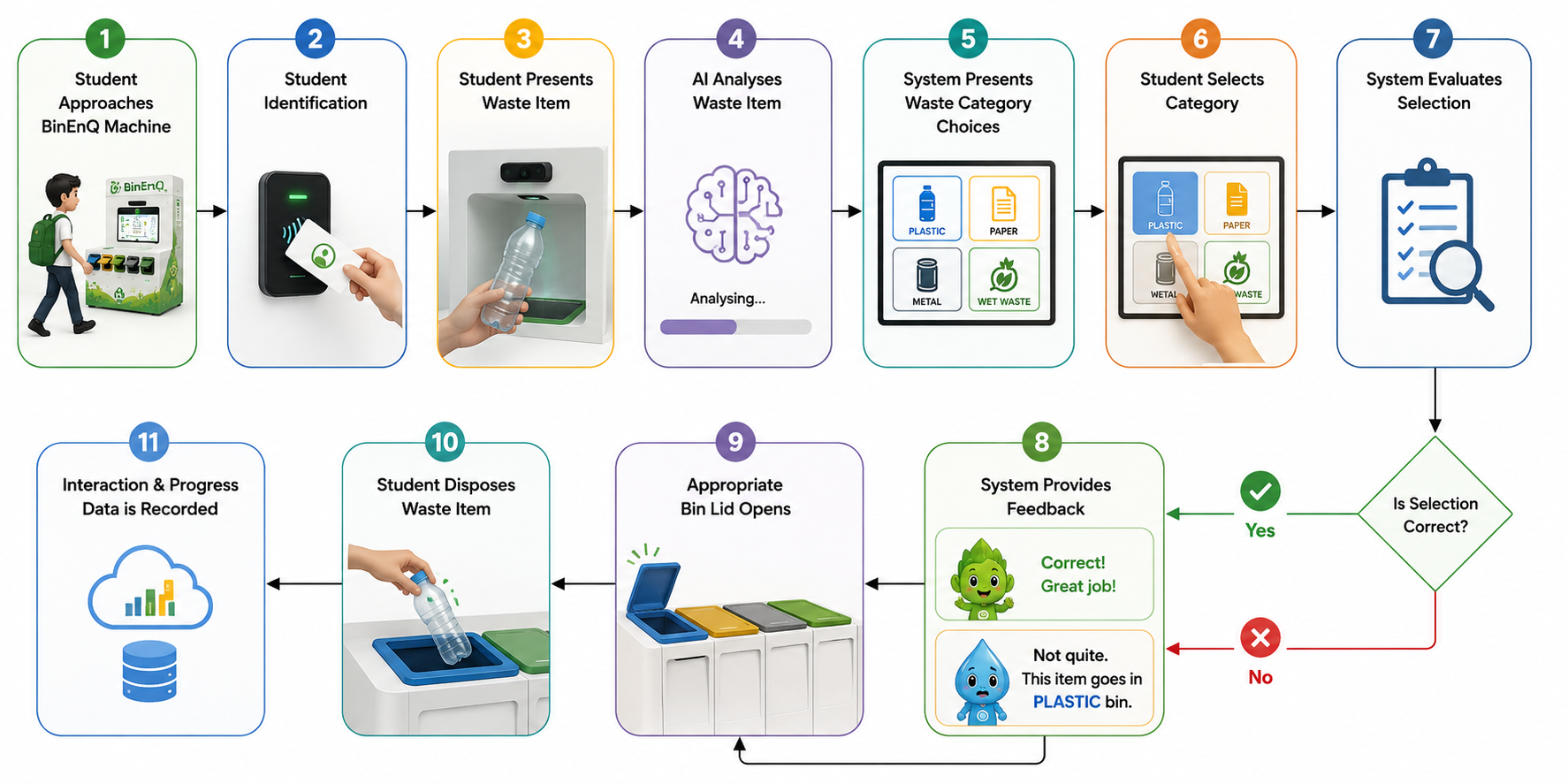
BinEnQ turns a two-second action into a structured sequence of recognition, decision, feedback and progress.
- 01
Identify
Tap in
Student identifies themselves using NFC or another configured identity mechanism.
- 02
Present
Show one item
Student presents one waste item in the detection area.
- 03
Analyse
BinEnQ looks at the item
Computer vision detects and classifies the presented item. The screen shows a scanning state, detection area and analysing status.
- 04
Think
What do you think?
The student selects the waste category using the physical category-selection controls. The system does not reveal its own answer first.
- 05
Evaluate
Compare
The device compares the student's decision with the system classification.
- 06
Learn
Immediate feedback
Correct: “Great choice!” Incorrect: “Almost! Let's learn why.” A short, plain explanation follows. Students are never shamed.
- 07
Dispose & Progress
The appropriate bin opens
The interaction record, points, participation and collective progress are updated.
Real-world exception handling
Designed for how disposal actually happens.
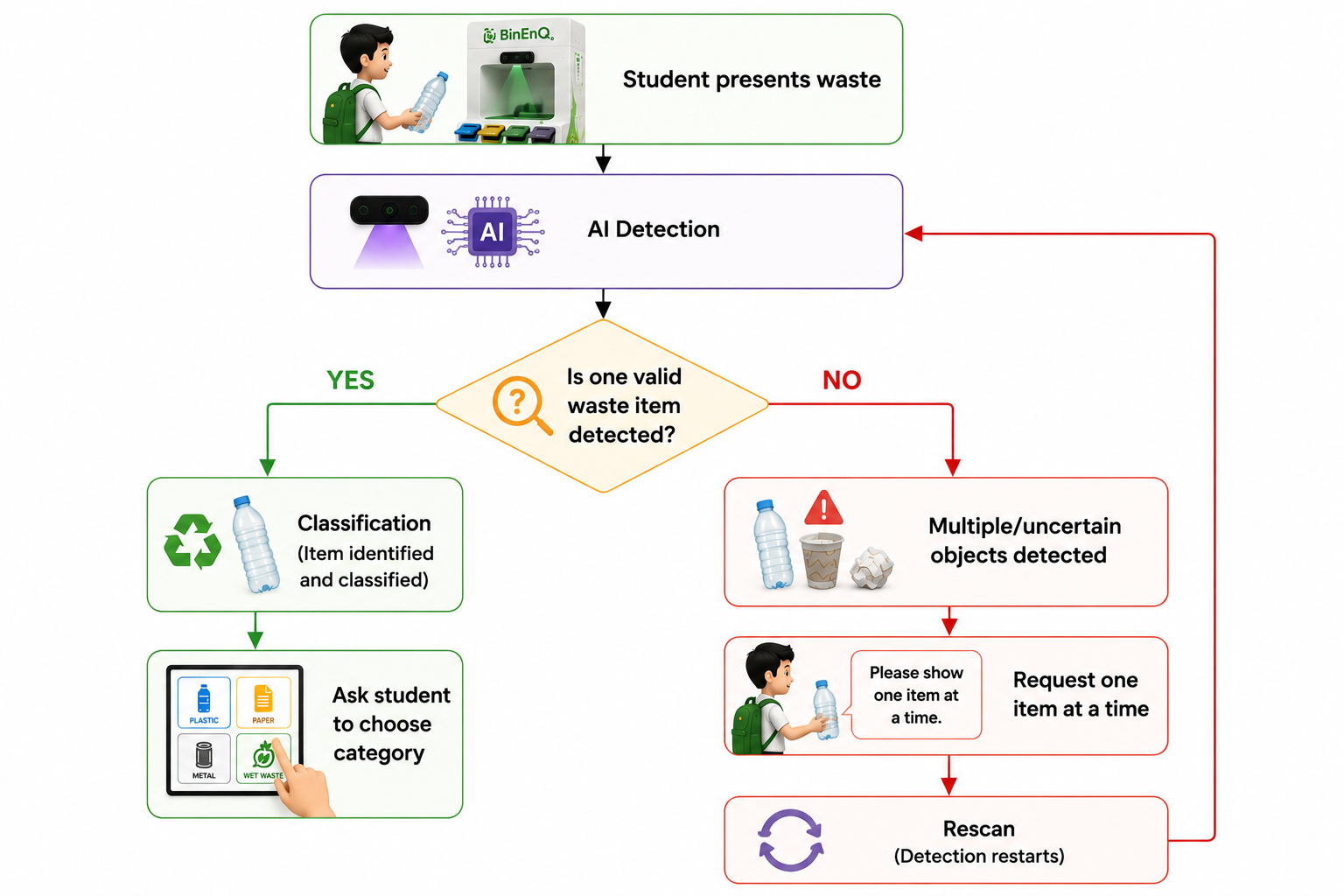
One item
Normal interaction.
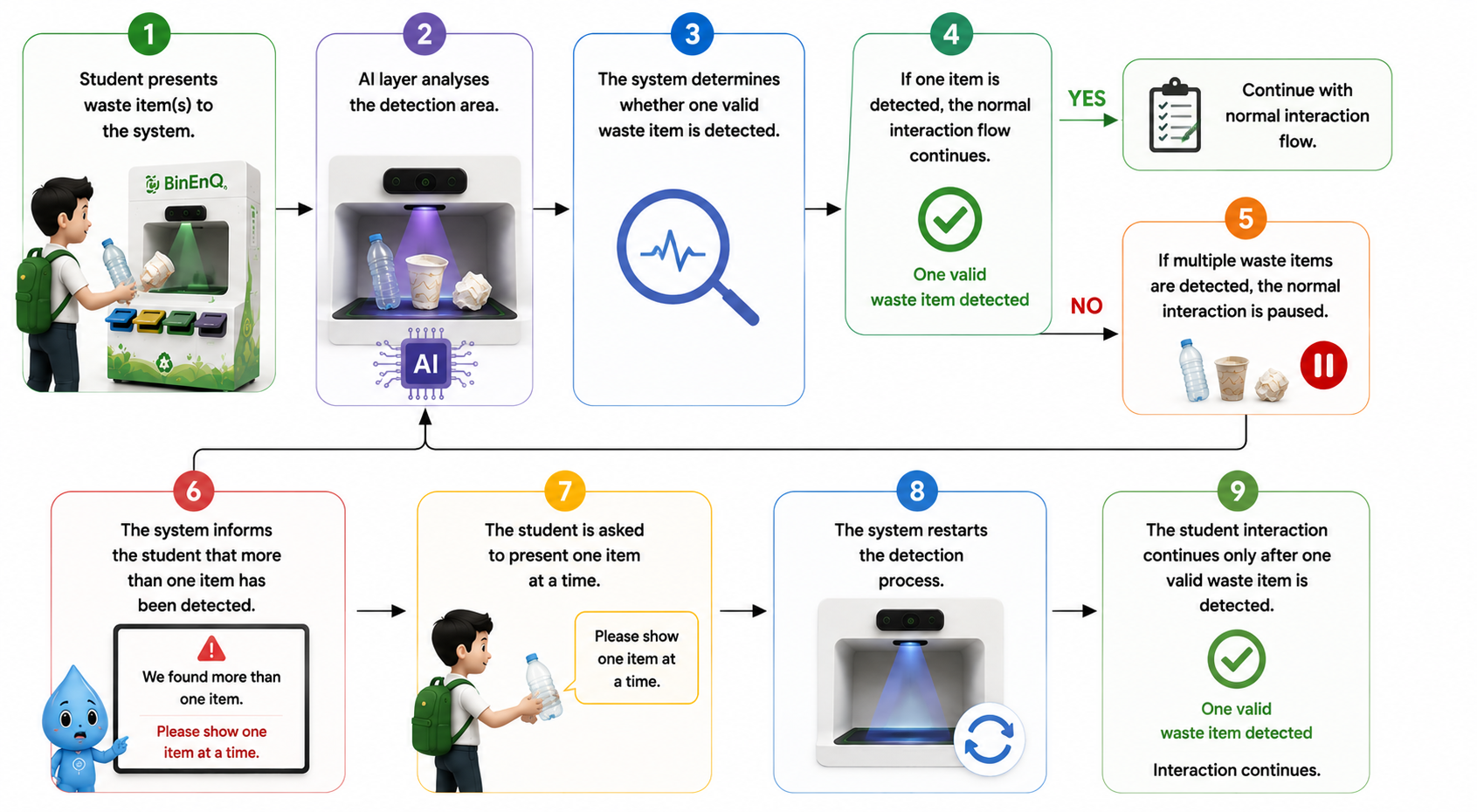
Multiple items
The student is asked to present one item at a time.
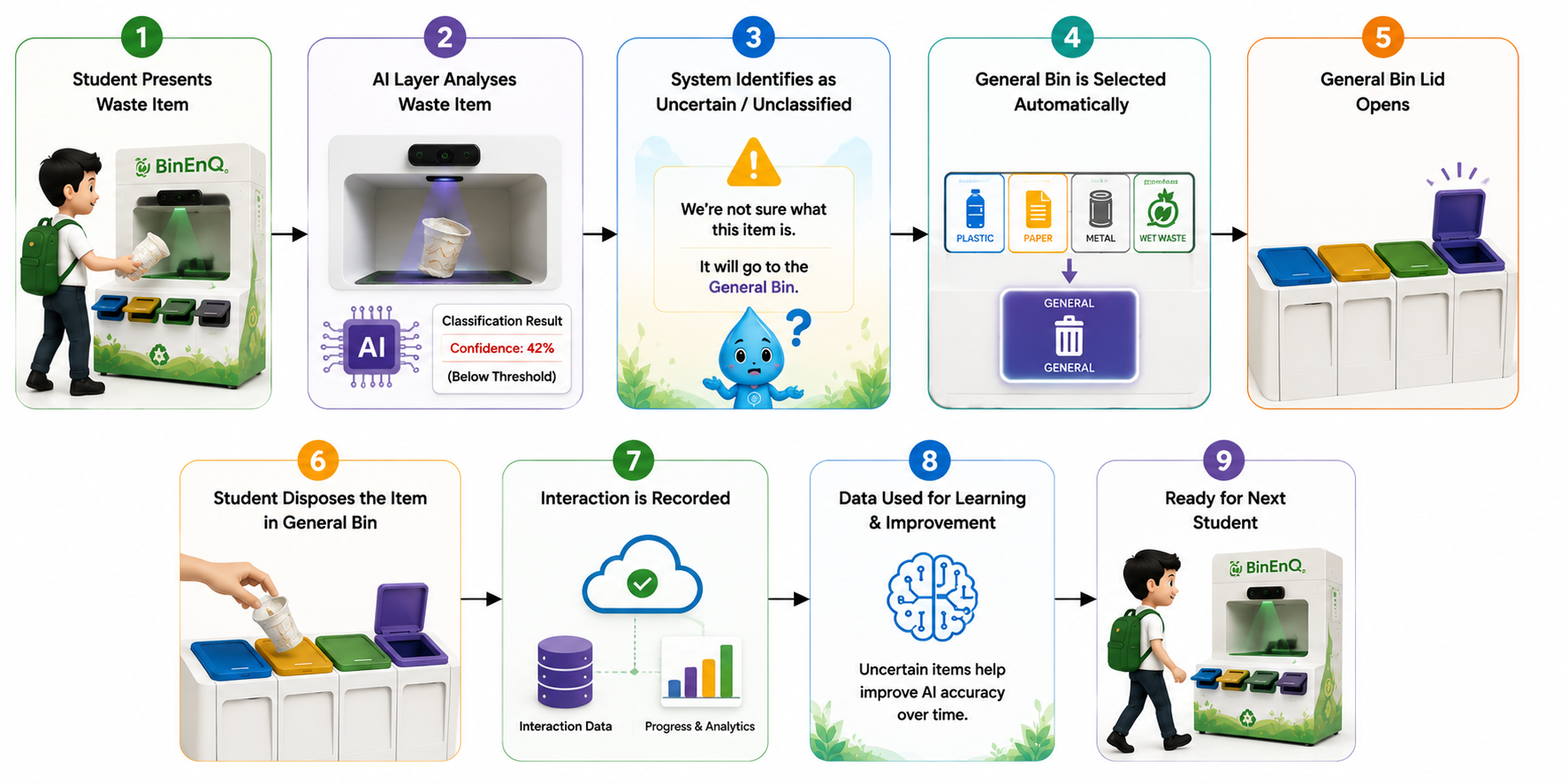
Uncertain classification
The configured fallback route is used.
Connectivity interruption
Supported edge functionality continues and synchronises later.
Hardware issue
The system should not assume an action succeeded just because a command was sent.
- Open command
- Actuator
- Sensor confirmation
- Confirmed physical state
Interactive BinEnQ Experience Demo
See the sequence in action.
A frontend simulation using predefined sample scenarios.
Ready to make an impact?
Identify yourself with your student card. The physical machine uses NFC or another configured identity mechanism.
The next generation shouldn't just know about sustainability.
They should practise it.
BinEnQ turns an everyday action into a learning opportunity — connecting Physical AI, gamification and sustainability intelligence to help build better waste-segregation habits.